200 Crown Street, Wollongong NSW 2500

Calendly Alternative Features & Benefits - A Scheduling Tool That Gets Results At Only $29 Lifetime Deal
Melody Jaimon • September 4, 2024
Need a website for your small business? At Love My Online Marketing, we are one of the leading creative agencies in Australia when it comes to web design for SMBs. Get in touch today for an obligation-free discovery call.
As an internet marketing agency, it’s important that we offer potential clients a super-easy way to book an appointment with us when they visit our website. We were frustrated because we thought there weren't any simple, affordable solutions on the market. (Paying Calendly $15 per month? No thanks!)
That is why we now use an online meeting tool called TidyCal for a lifetime deal of $29.
We would love to see you use our Calendly alternative too, because we want to help more people save money and time with a simpler, more affordable booking solution.
What is the Calendly Alternative?
TidyCal is a free appointment scheduling tool that individuals and organisations use to schedule meetings and appointments with their leads and clients.
The tool offers a range of powerful features designed to make meeting scheduling as simple and painless as possible. Some of its best features include custom notifications, group events, calendar integration, team scheduling, enhanced privacy, and metrics and reporting.
It’s also very easy to use and has great mobile support. Even those who aren’t technically savvy won’t have any trouble working their way around the app, which is also fully optimised for any device to ensure a seamless scheduling experience whether the invitee is using a phone, tablet, or computer.
Tools like this aren’t only great for booking meetings with your prospects. If the nature of your business involves solving problems through asking questions and creating solutions (e.g. consultant, counsellor, etc.), you can also use an TidyCal to make it easier for your existing clients to book an appointment date with you.
Is the booking platform free?
TidyCal offers a free plan (with no credit card required) that allows you to use most of its important features, but paid plans are also available for teams and enterprises that are looking for more customisability and advanced features.
The free version has all the basic features you need to simplify appointment scheduling between you and your leads/clients. This makes it ideal for freelancers, solo entrepreneurs, and small businesses. But if you are looking for more features or customisations or would like to improve team and group scheduling within your organisation, then the paid plans are better suited for your needs.
Why use this Calendly alternative?
The answer is simple: TidyCal makes scheduling appointments and meetings simple and fast! Whether you use the free version or any of the paid versions, you'll be able to take advantage of what Calendly does at a fraction of the price.
How do you set it up?
Not only is TidyCal a great tool for scheduling meetings and appointments, but it's also very user-friendly and makes scheduling a meeting or appointment a breeze. Here's a step-by-step guide on how to set up TidyCal:
1. Create and set up your account
- First and foremost, you need to set up an account. You can sign up for a TidyCal lifetime deal and enjoy the app for life with only one-time payment of $29.
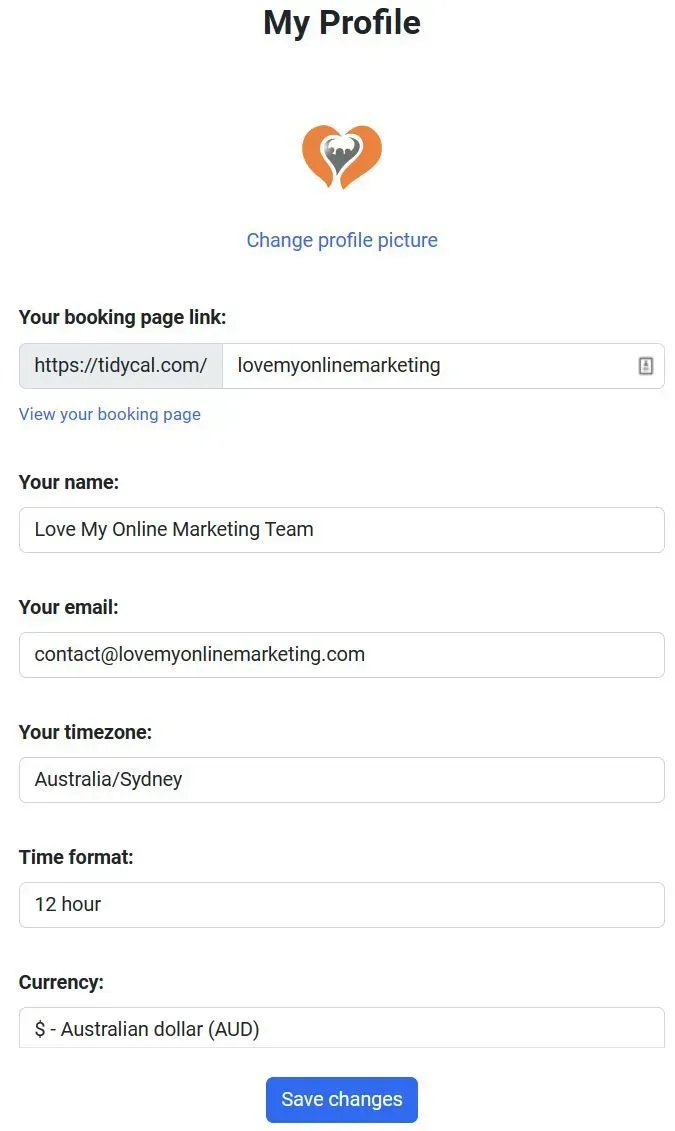
- Now it's time to set up your newly created account. You will be asked to create a URL that best represents you and your business. Make sure to keep it as short and memorable as possible. Once you're happy with the URL, click the Save Changes button.
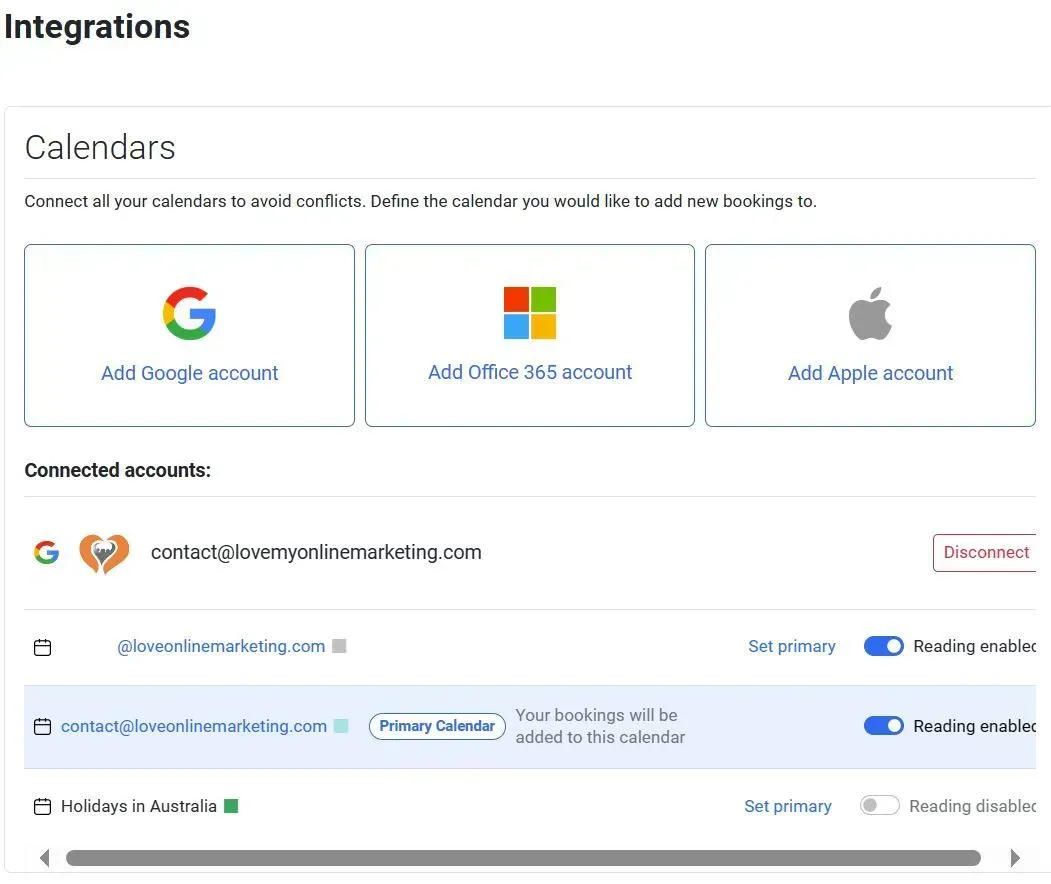
- Next, you will give you the option to integrate your other calendars. You'll have the option to edit how the booking platform will work with your Gmail account. Click which account you'd like to connect or if you'd like to disconnect, just selected the connected account you'd like to disconnect and hit the disconnect button.
2. Create a booking type
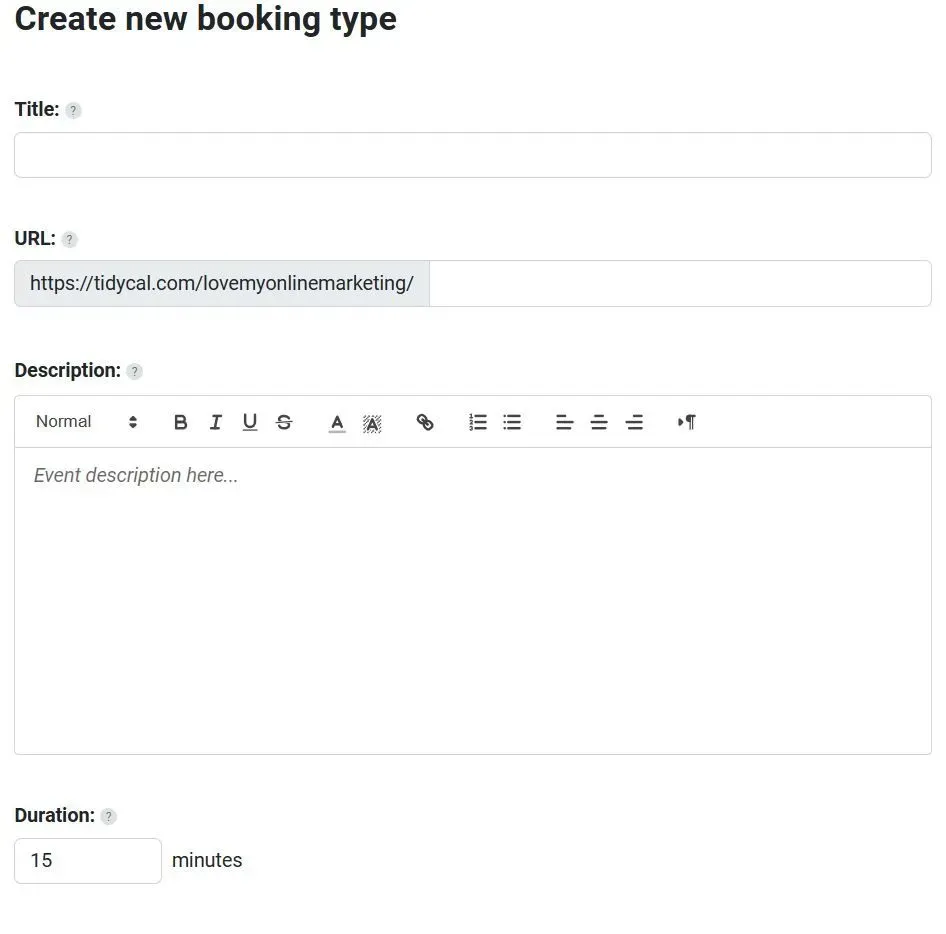
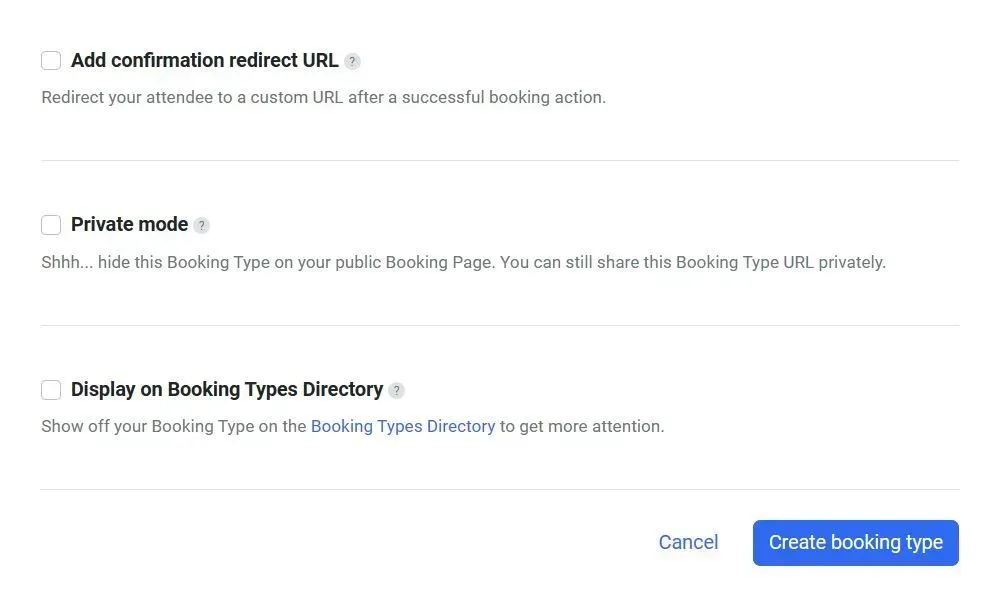
- Now that you have successfully created an account, it's time to create a booking type. To begin, you should log in to your account and click the Create New Booking Type button.
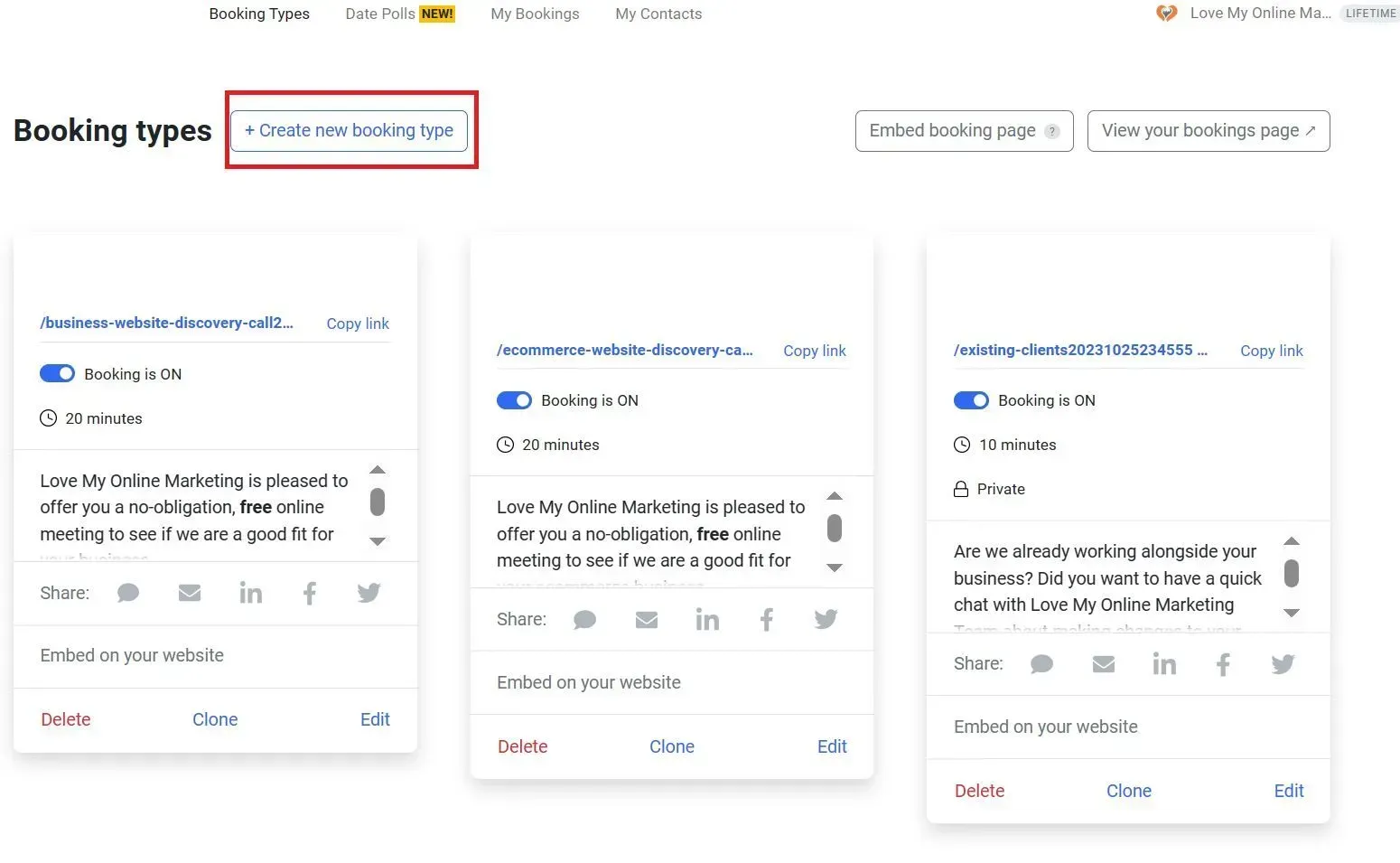
- Fill out the form with all the necessary details, such as title, url, description, and duration.
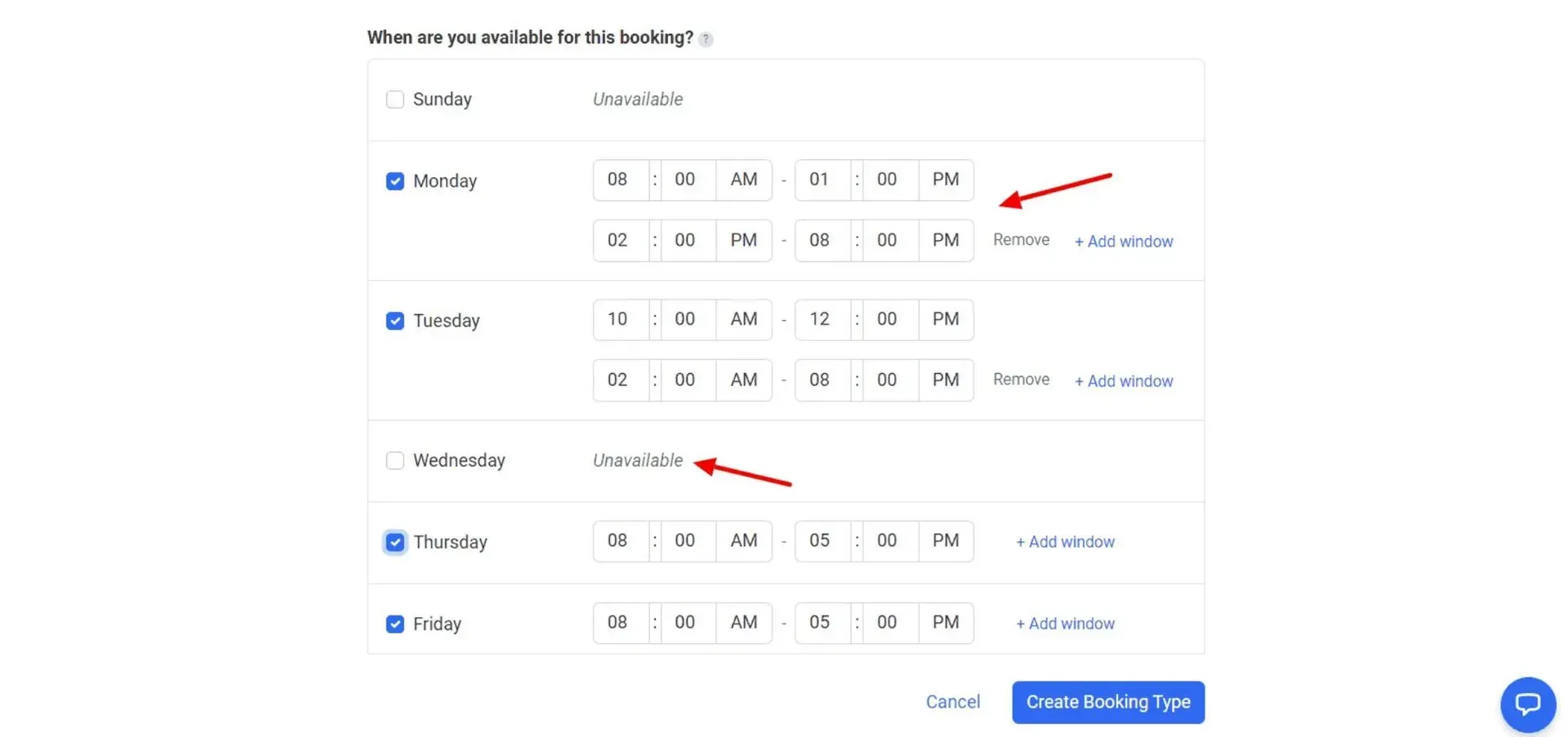
- You have the option to include multiple time segments for each day, enhancing flexibility.
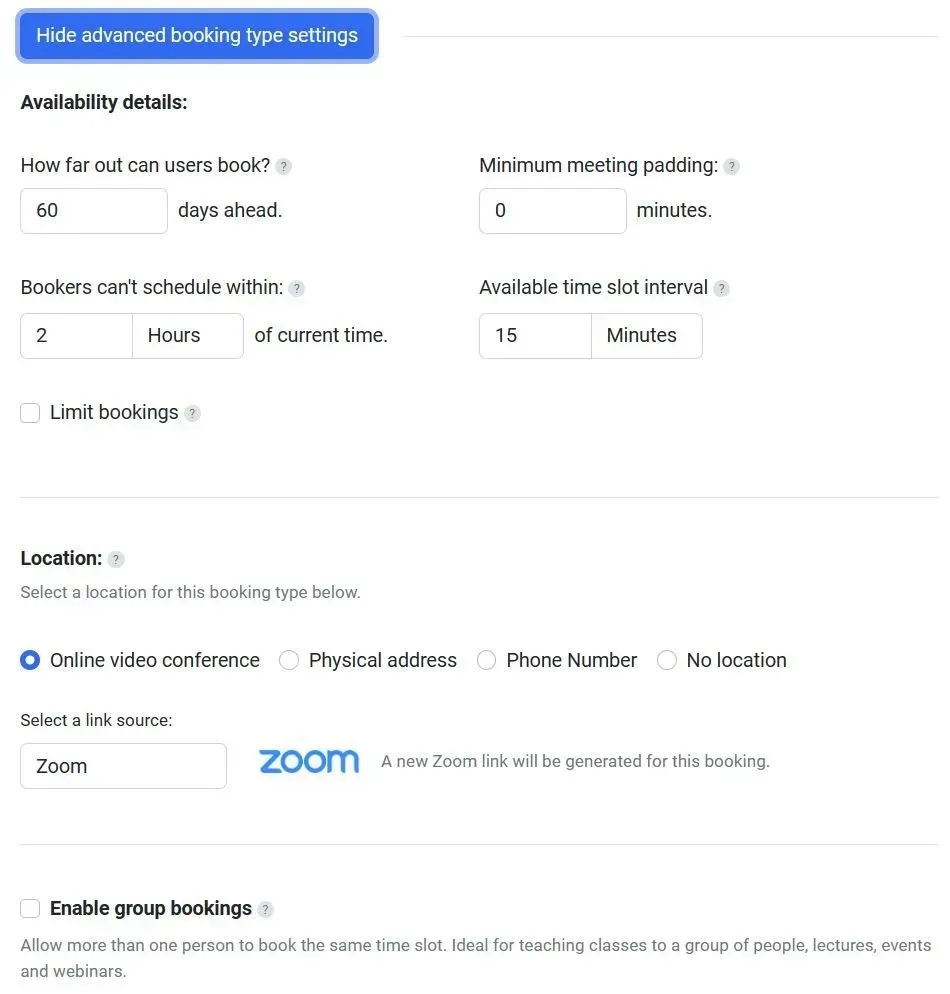
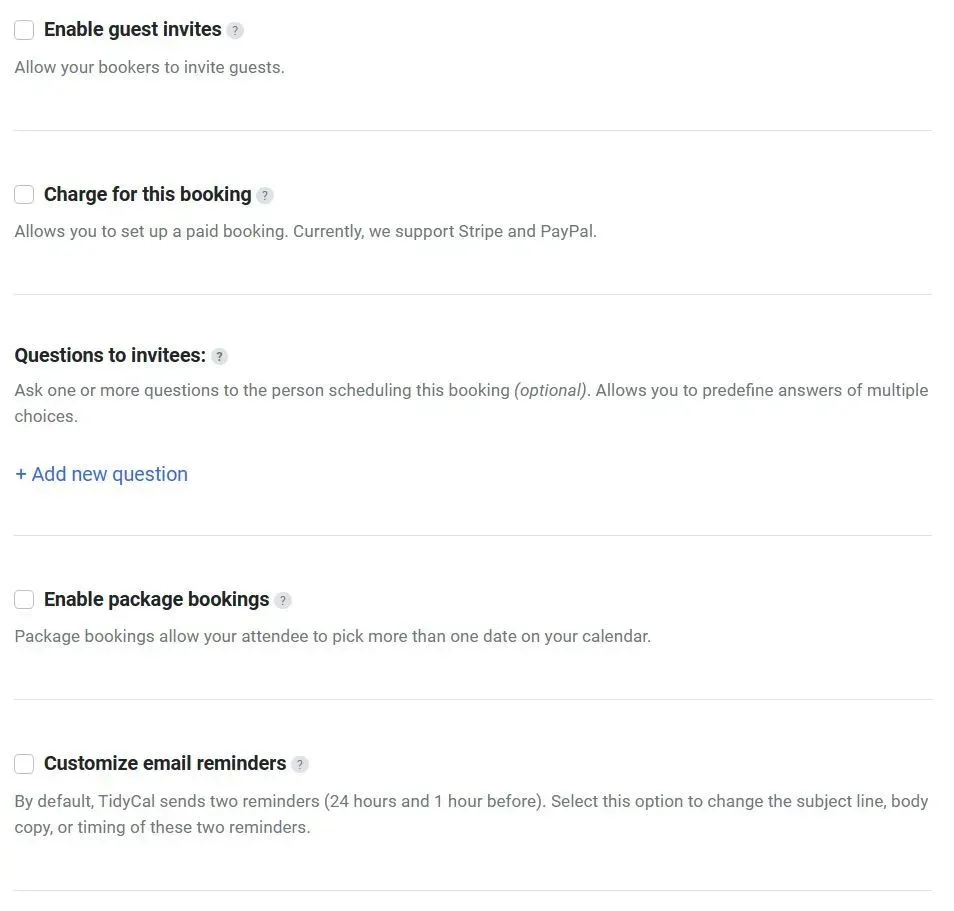
- If you want to customise your booking type further, you can do so by clicking on the Advanced Booking Type settings button. Here you will be able to set time increments for meeting slots, determine specific scheduling conditions, choose how the time zone will be displayed, and opt whether to make the event a private calendar.
- If you want to give yourself some breathing space before or after a meeting, you can do so by adding a buffer time or what we call meeting padding. Meeting padding can be set between 5 minutes and 3 hours. It's entirely up to you.
- Then, you can customise when people can book your event. You can choose a date range when invitees can schedule meetings. You can also set the duration of how long your event will last, with options ranging from as short as 15 minutes to as long as 12 hours. Furthermore, you also have the option to select an existing schedule or create a custom hours that is specific to your event.
- Once you're done customising, simply click the
Create Booking Type button to finish the creation of the event.
3. Share your meeting links
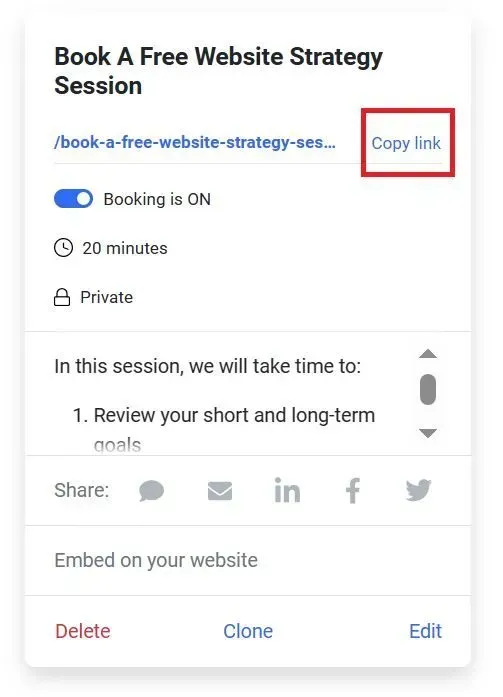
- Now that your event has been successfully created, you can finally start sharing your personal booking link with your clients. To do this, click on the Copy link button on the lower left side of the event. You can also add booking options to your website to streamline meeting scheduling.
- If you are working alongside Love My Online Marketing, we will request your embed code so your customers do not have to navigate away from your website to book an appointment with you. All you have to do is provide the embed code to us, and we'll take care of everything!
- Here's how you can embed the calendly alternative into your web pages to save you the hassle of sharing a booking link every time you chat with a prospect.
What are the main features?
You can enjoy perpetual access for just $29, which includes all forthcoming updates under the Lifetime Plan. No need for promotional codes or stacking. With this plan, you get:
- Unlimited Booking Types
- The ability to host both free and paid meetings
- Confirmation emails for appointments
- Integration with various payment processors
- Pro integrations with platforms like Zoom, Google Meet, Zapier, and API
- Custom redirect URL options
- Minimal branding in the paid version
- Support for more than 24 languages
- The ability to add a booking page description
- Ability to do group bookings
- The capability to connect up to 10 calendars in the paid version
- The option to create a personalised link
- The freedom to schedule an unlimited number of meetings
- Automated email notifications and reminders for your attendees
- Embedding capabilities on a landing page or website
- Allowing clients to view your availability and book appointments seamlessly.
Takeaway
To sum it up, this Calendly alternative is a powerful meeting scheduling tool with a silky-smooth interface that quickly displays your availability to users and your teammates, and enables them to schedule an appointment with you. It helps to simplify the scheduling process for users by giving them a platform where they can coordinate meetings and calendars with other people online. With this scheduling tool, you can skip long emails and phone calls and instead go straight to multi-individual events through custom link sharing.
If you choose to take advantage of the Lifetime Deal, for only $29. you will get all access and you won't have to pay monthly subscription after paying the one-time fee of $29. On top of that, you will get the features of the free plan, with a maximum of ten calendar integrations, Zapier, Google Meet, and Zoom facilities.


Love My Online Marketing has 10+ Years of working alongside businesses and helping them grow. Discuss your options for online success from website Design and Development through to Google Marketing.
Do you want more traffic and business leads?
Love My Online Marketing is determined to make a business grow. Our only question is, will it be yours?