Crown Street, Wollongong, 2500

How to Give Facebook Page Access
Melody Jaimon • May 7, 2024
If you're running a business on Facebook, you may eventually need to add some team members to help you manage it better. Trust me, trying to handle everything on your own can be a real headache!
Luckily, Facebook has got your back with a nifty user permission and access role system within Facebook Business Manager, making it easy for you to invite your trusted social media experts or even your nephew (or grandchild!) to help you out.
Not only can you assign specific tasks to each team member, such as managing Facebook ad spending or viewing analytics and reporting, but you can also add an admin to your Facebook page without ever giving them your password. Pretty cool, huh?
Don't worry if it sounds complicated; I'm here to help guide you through the process of adding team members to your Facebook page so you can manage your Facebook Business Page with ease and, more importantly, have more time to focus on your business.
If you want to give someone access to your Facebook Page, don't worry, it's easy!
Steps On Giving Facebook Page Access
1. Log in to Facebook and click on your profile photo.
2. Select the Page you want to switch to and select "Settings & Privacy."
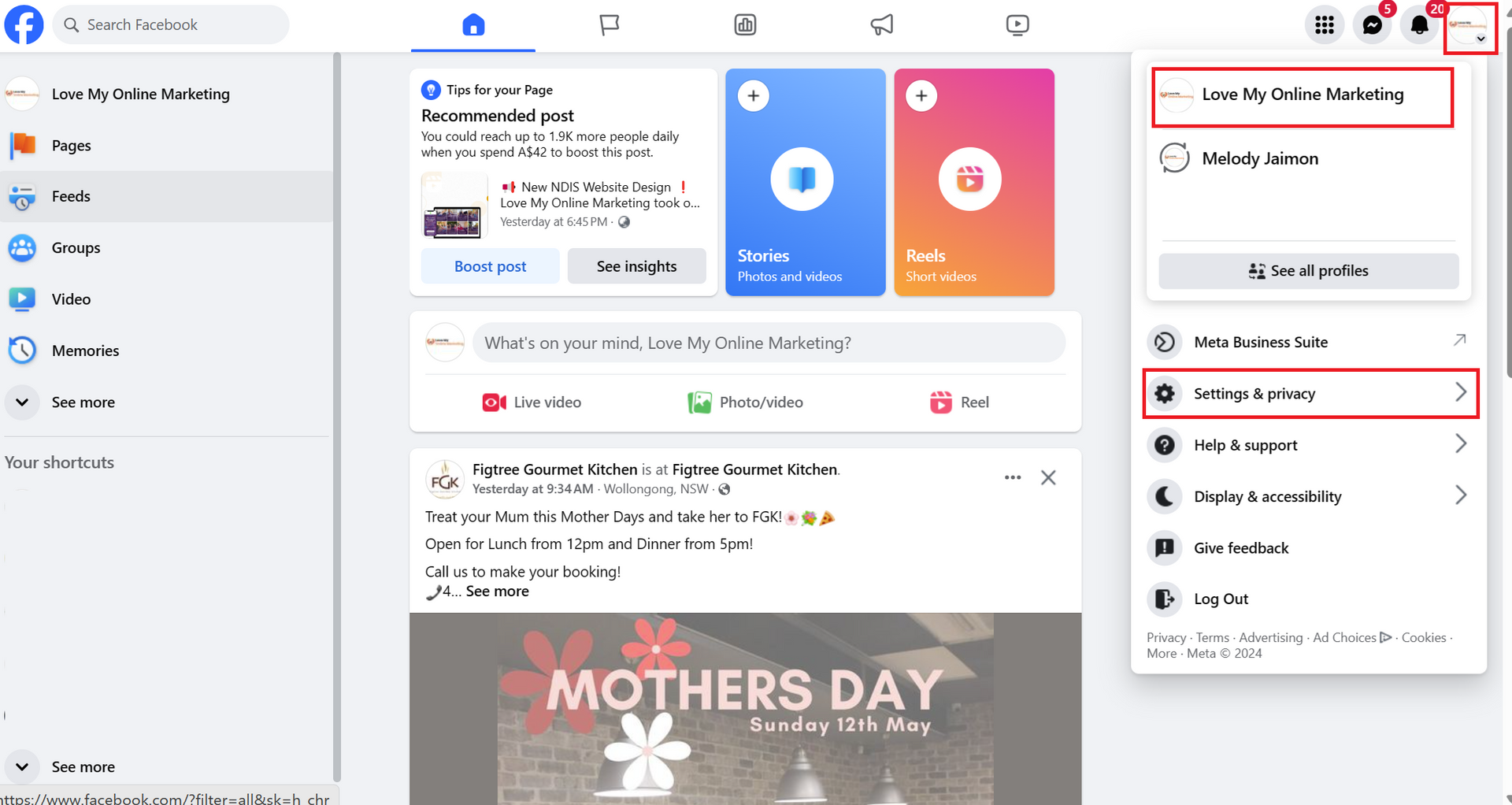
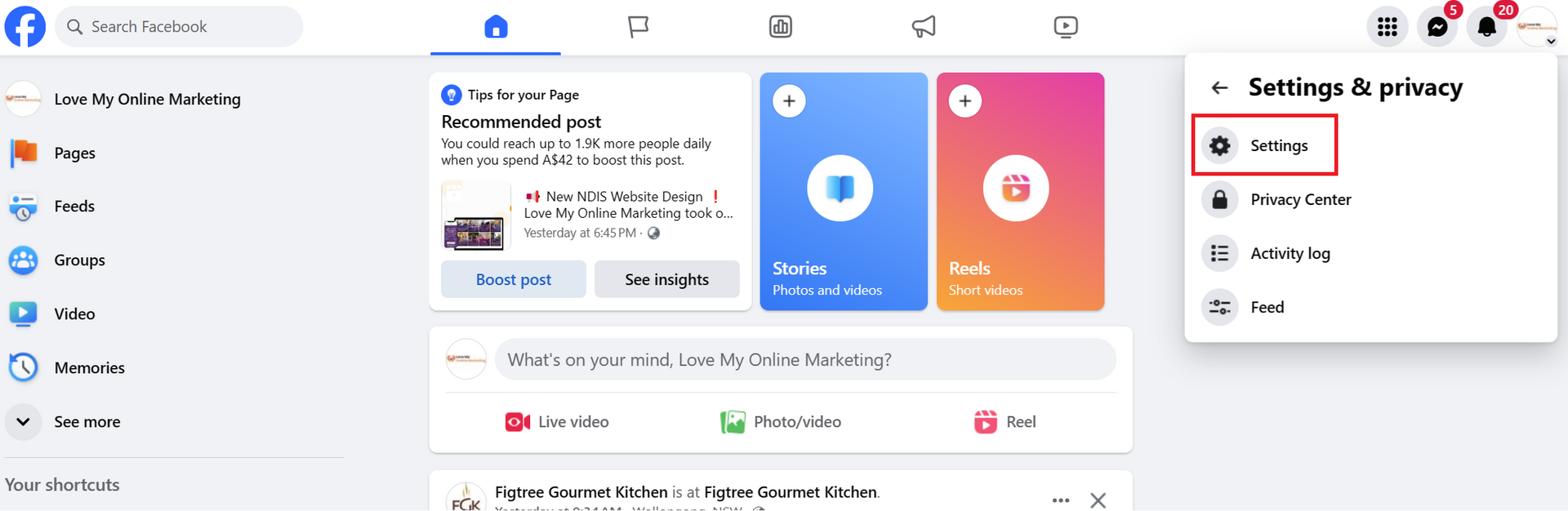
3. Then click Settings.
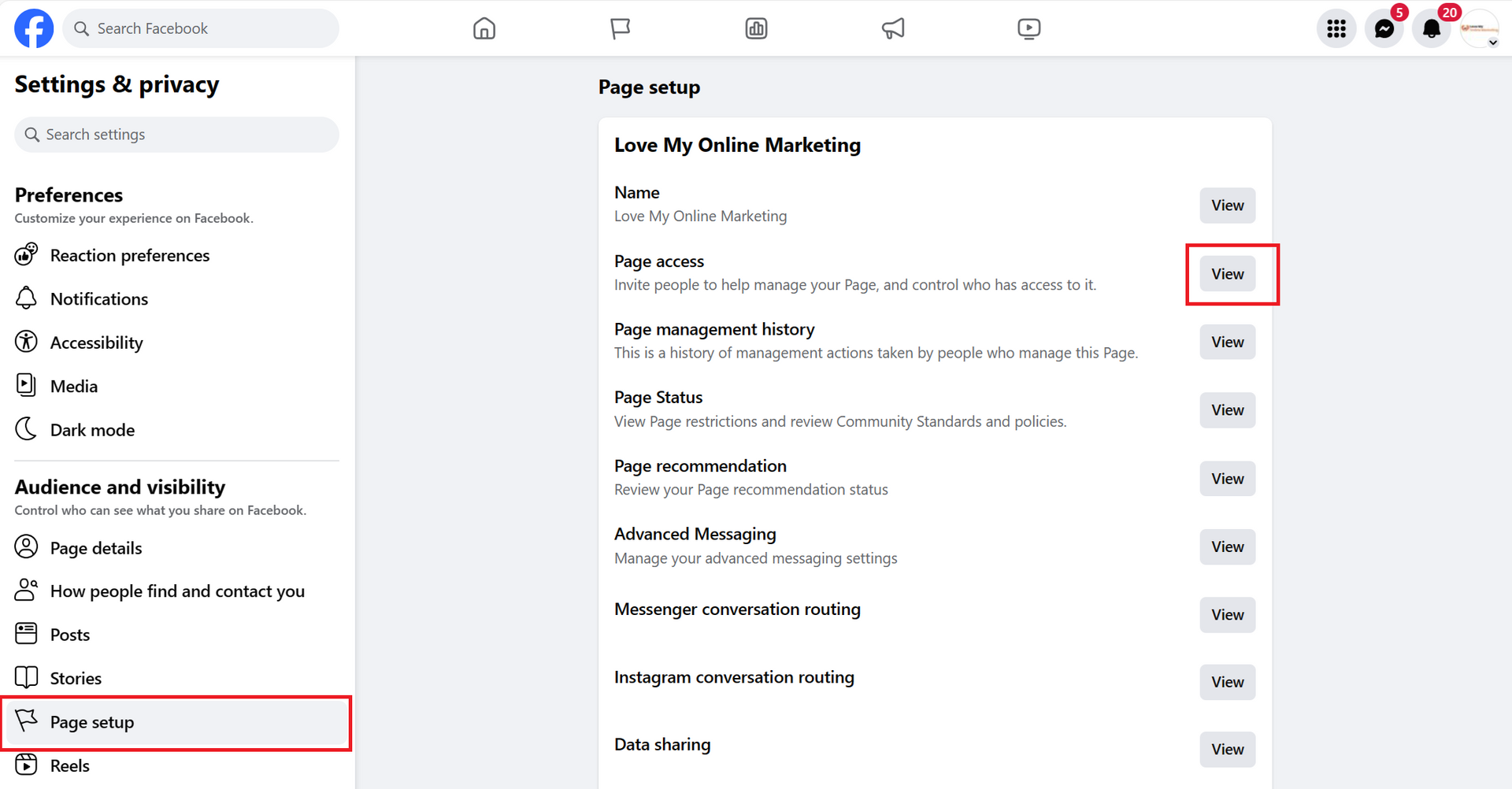
4. Click on "Page Setup" and then click on the View button next to the Page Access.
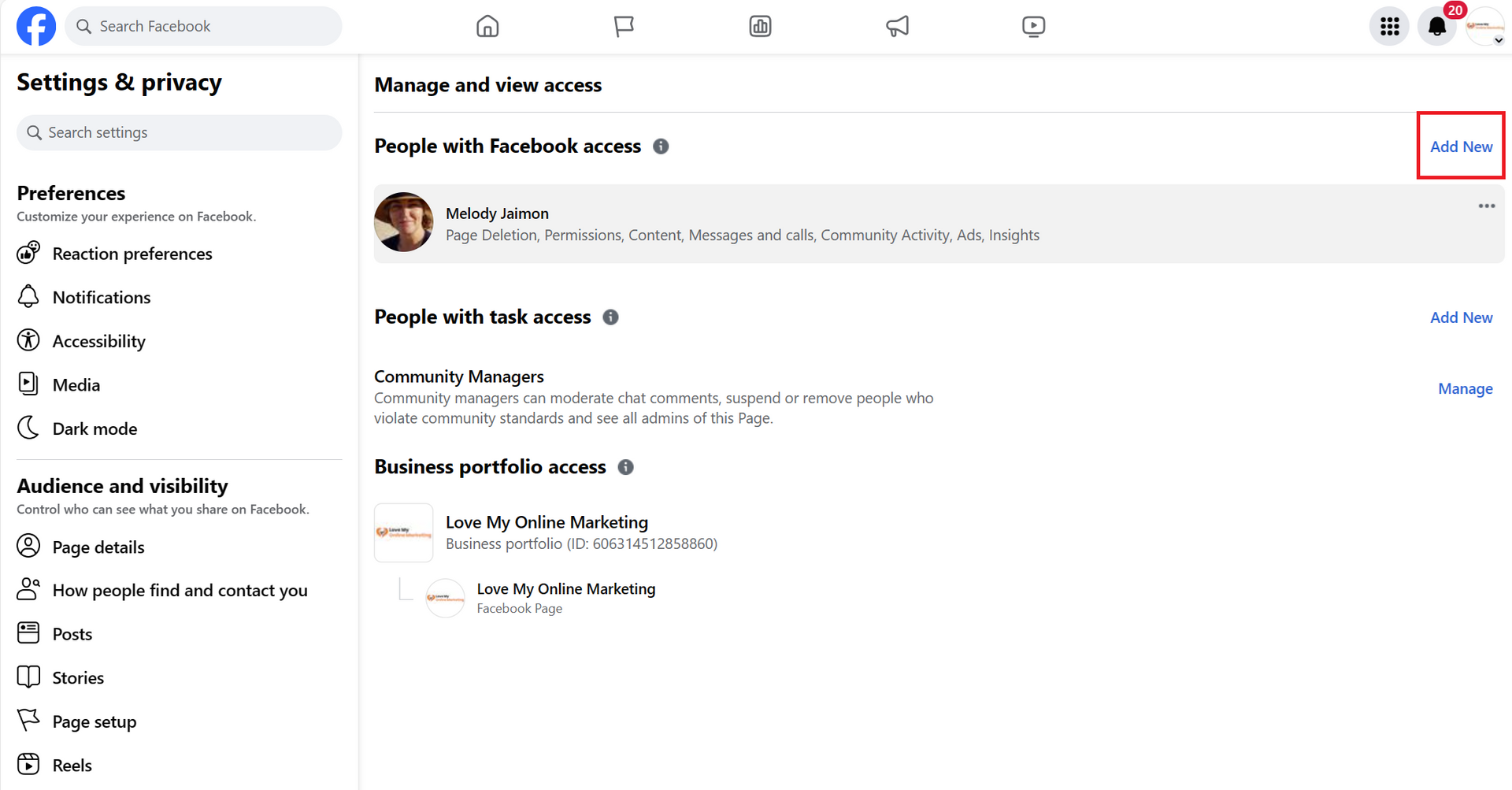
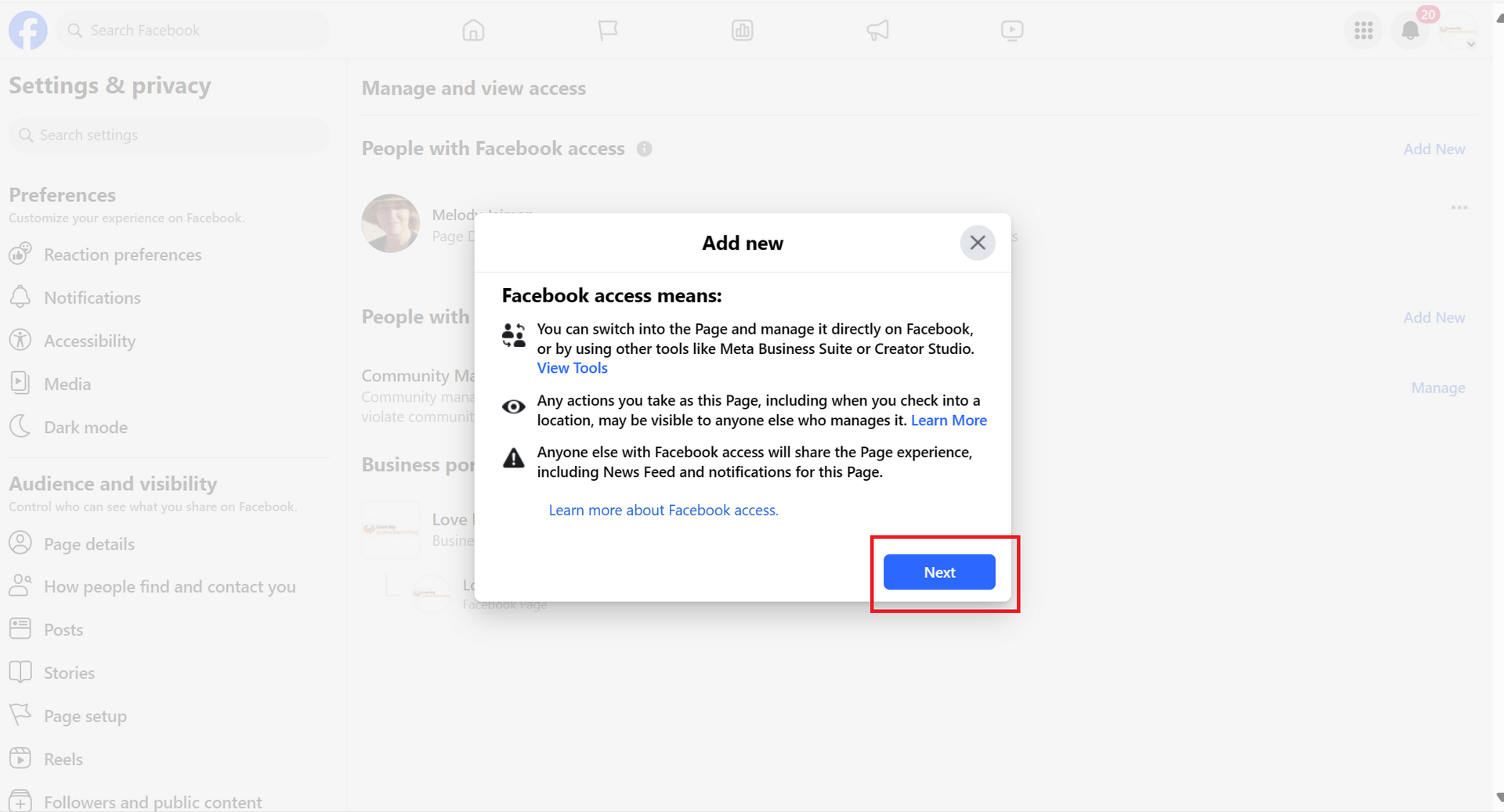
5. Click "Add New" on the "People with Facebook Access" section and hit the "Next" button.
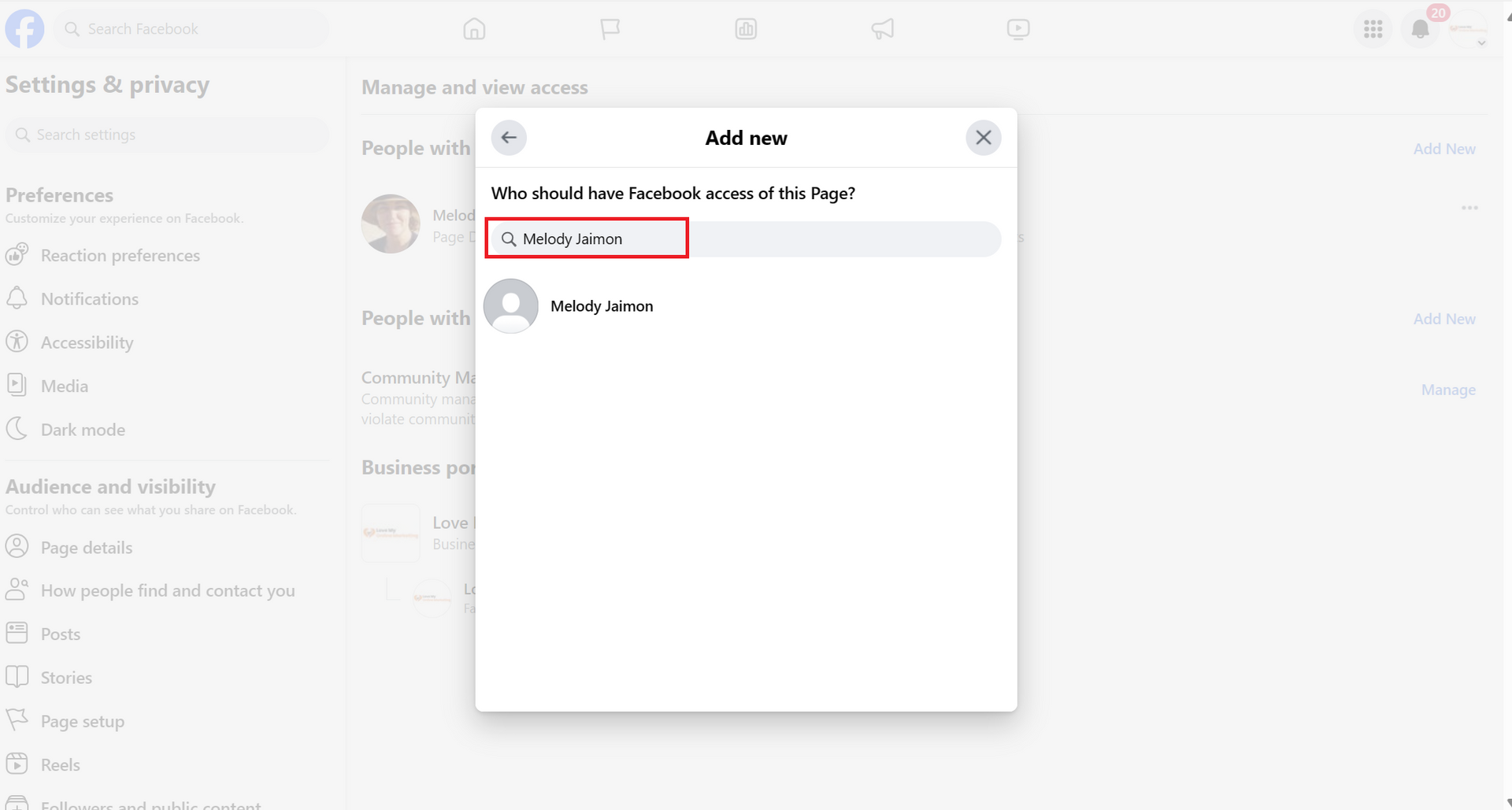
6. Type the name or email address of the person you want to give access to.
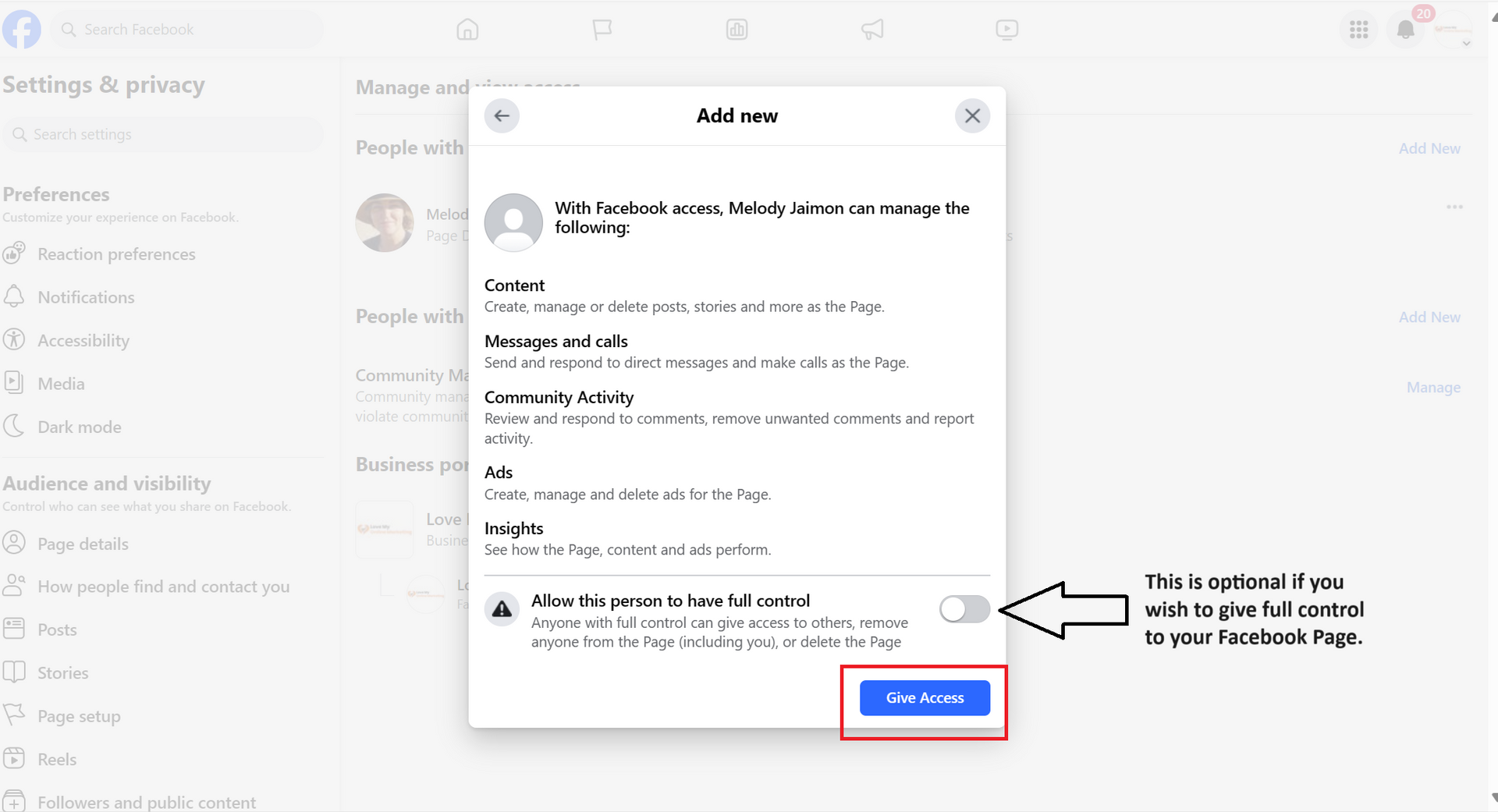
7. You can choose to give them full or partial control.
- To give Facebook Access with partial control, Scroll down, then click Give Access.
- To give Facebook Access with full control: Scroll down, click to allow this person to have full control, then click Give Access.
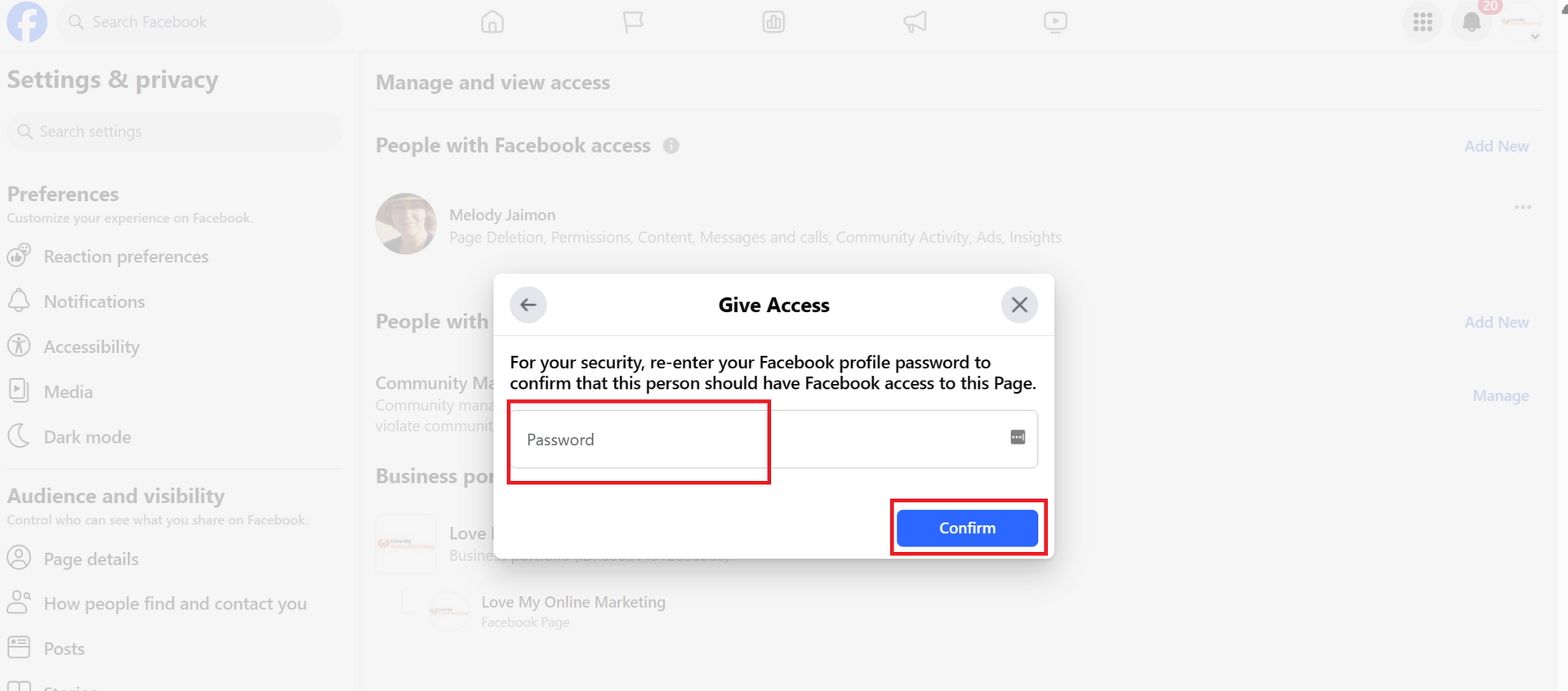
8. Type in your password and click "Confirm."
9. That's it! The person will receive an email to accept your invitation.
Takeaway
By giving access to your Facebook Page, you can improve its management, performance, and responsiveness, ensuring that it runs smoothly, grows effectively, and engages your audience even when you're not available, giving you more time to focus on other priorities in life.
For more tips, continue reading our blog below:
- How To Add An Agency To Meta Ads Manager
- How to Set Up a Facebook Business Manager Account (and How to Add a Partner)
- How To Add An Agency to Google Business Profile
- How To Add or Update Your Facebook and Instagram Auto Reply
- 9 Awesome Ways to Increase Your Organic Reach on Facebook
- The Best Times to Post on Social Media: A Guide for SMBs


Love My Online Marketing has 10+ Years of working alongside businesses and helping them grow. Discuss your options for online success from website Design and Development through to Google Marketing.
Do you want more traffic and business leads?
Love My Online Marketing is determined to make a business grow. Our only question is, will it be yours?